Ghost Software for ARC Raiders

Information about cheat
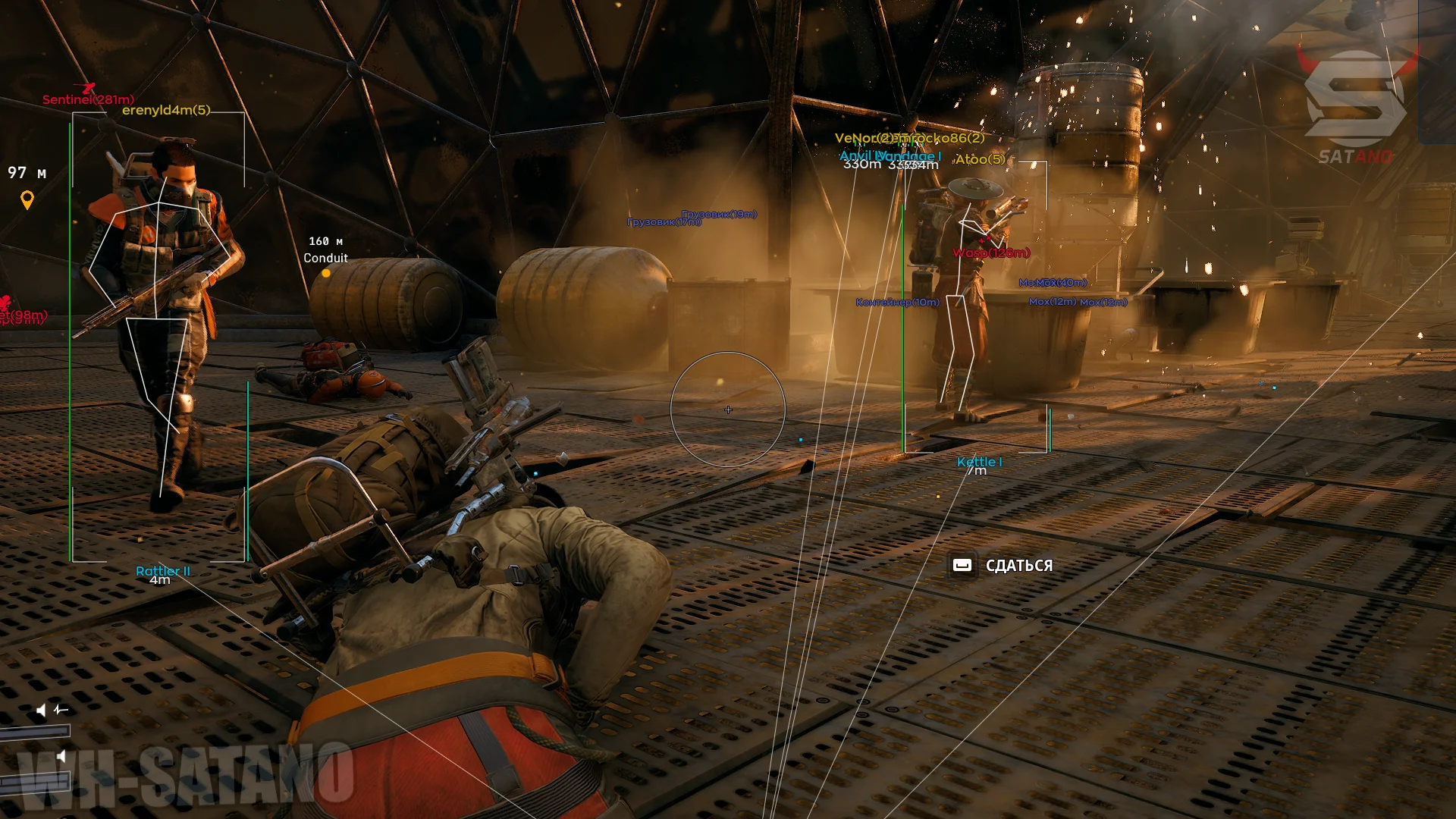
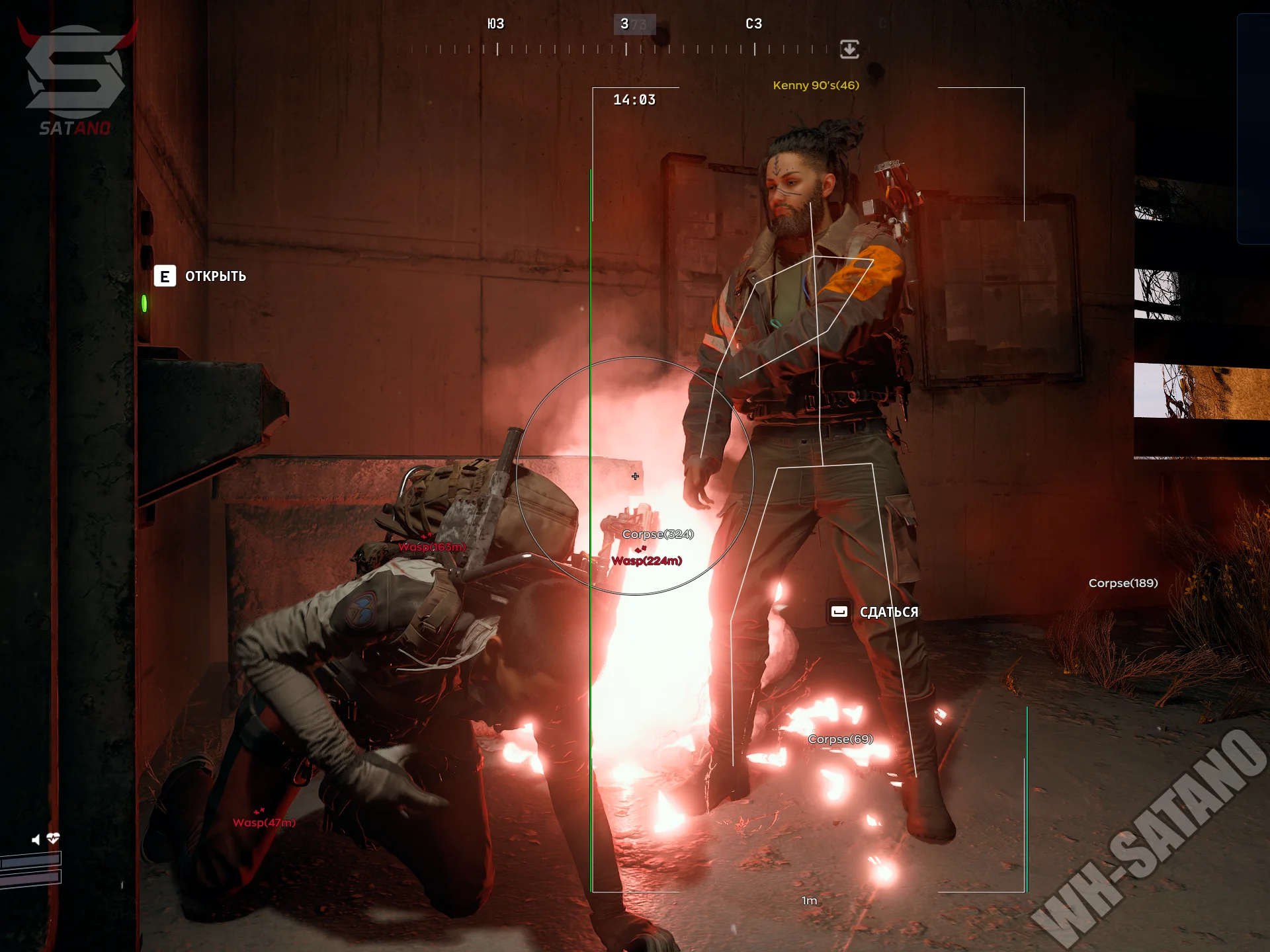
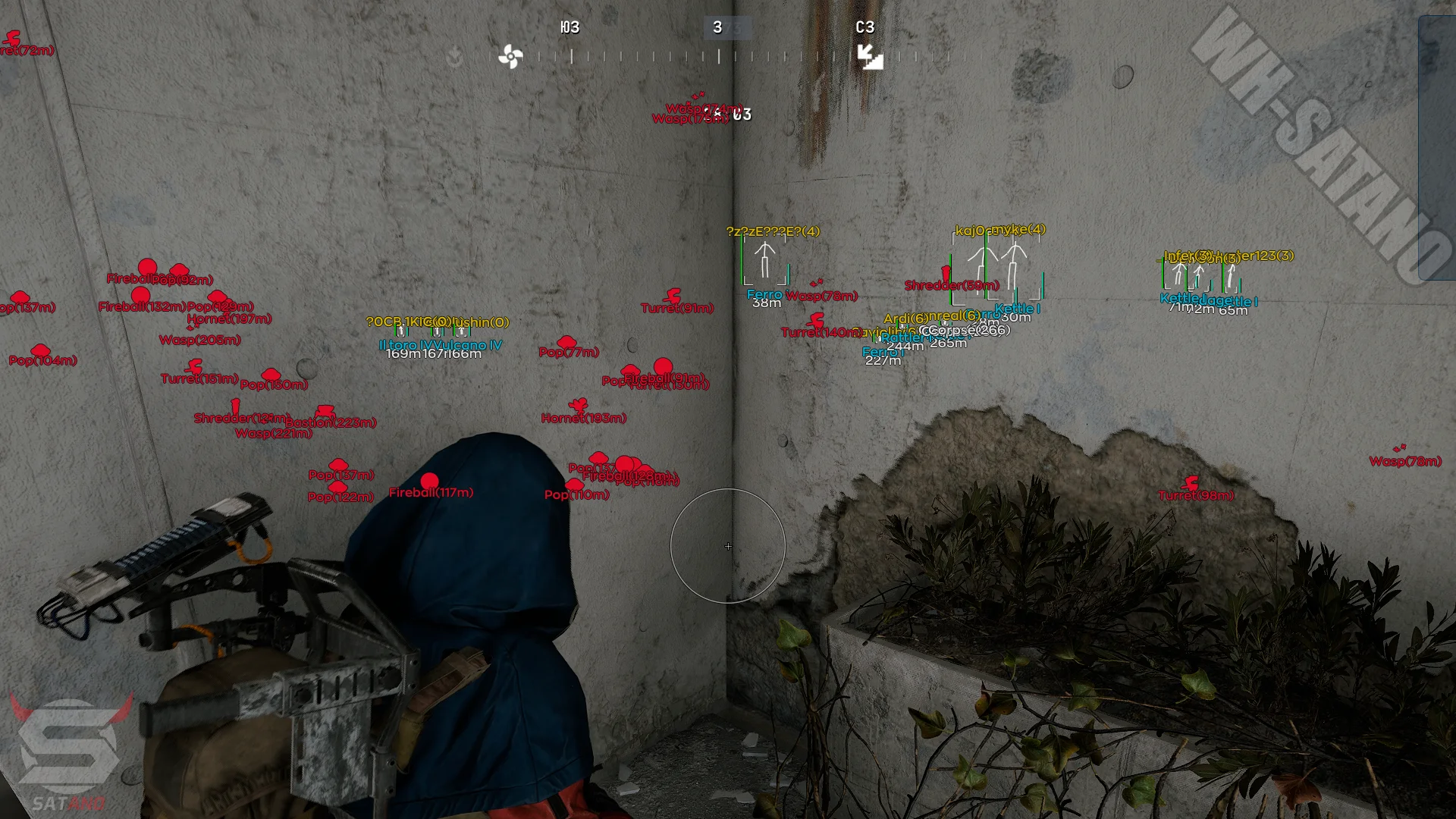
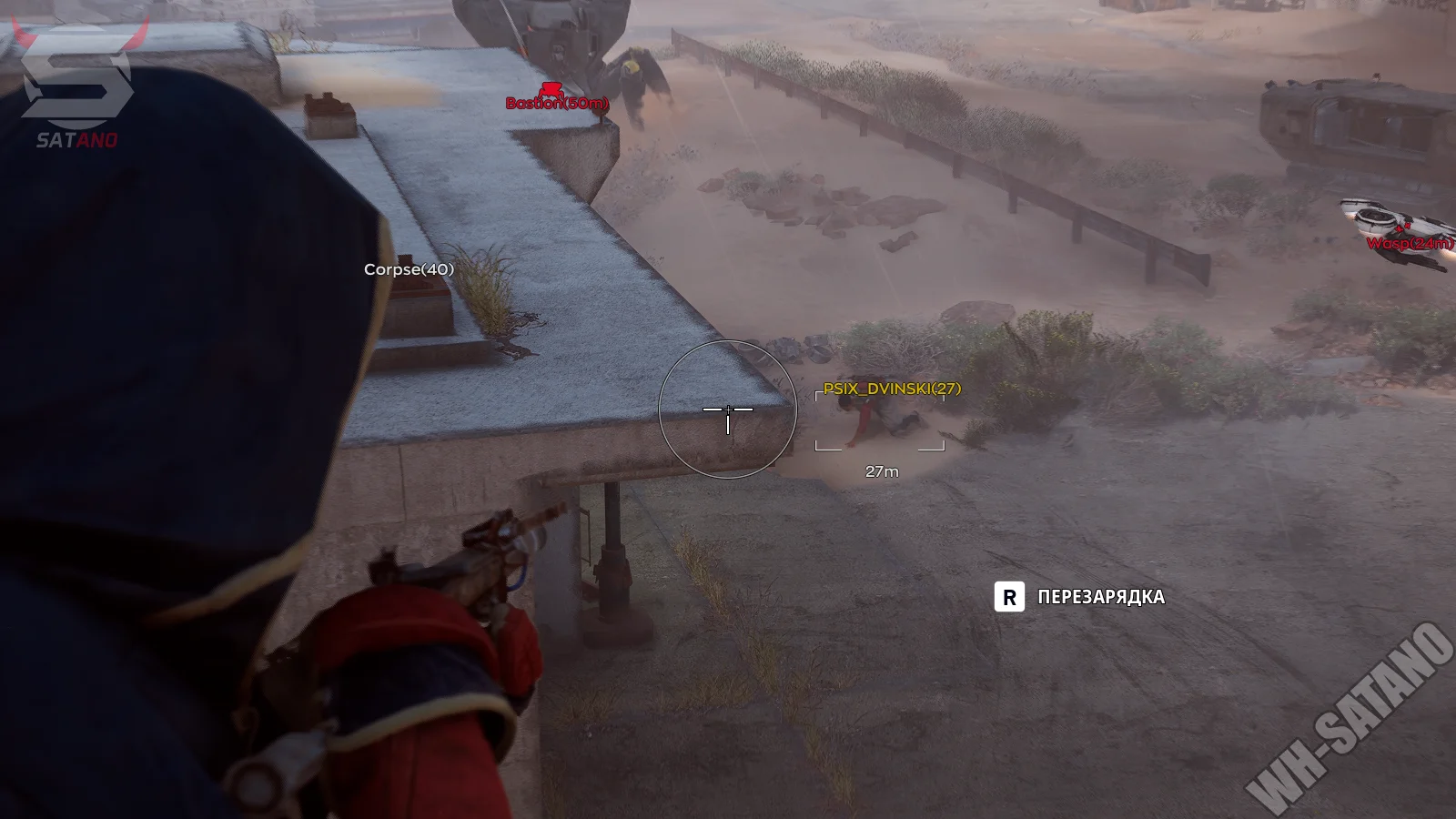
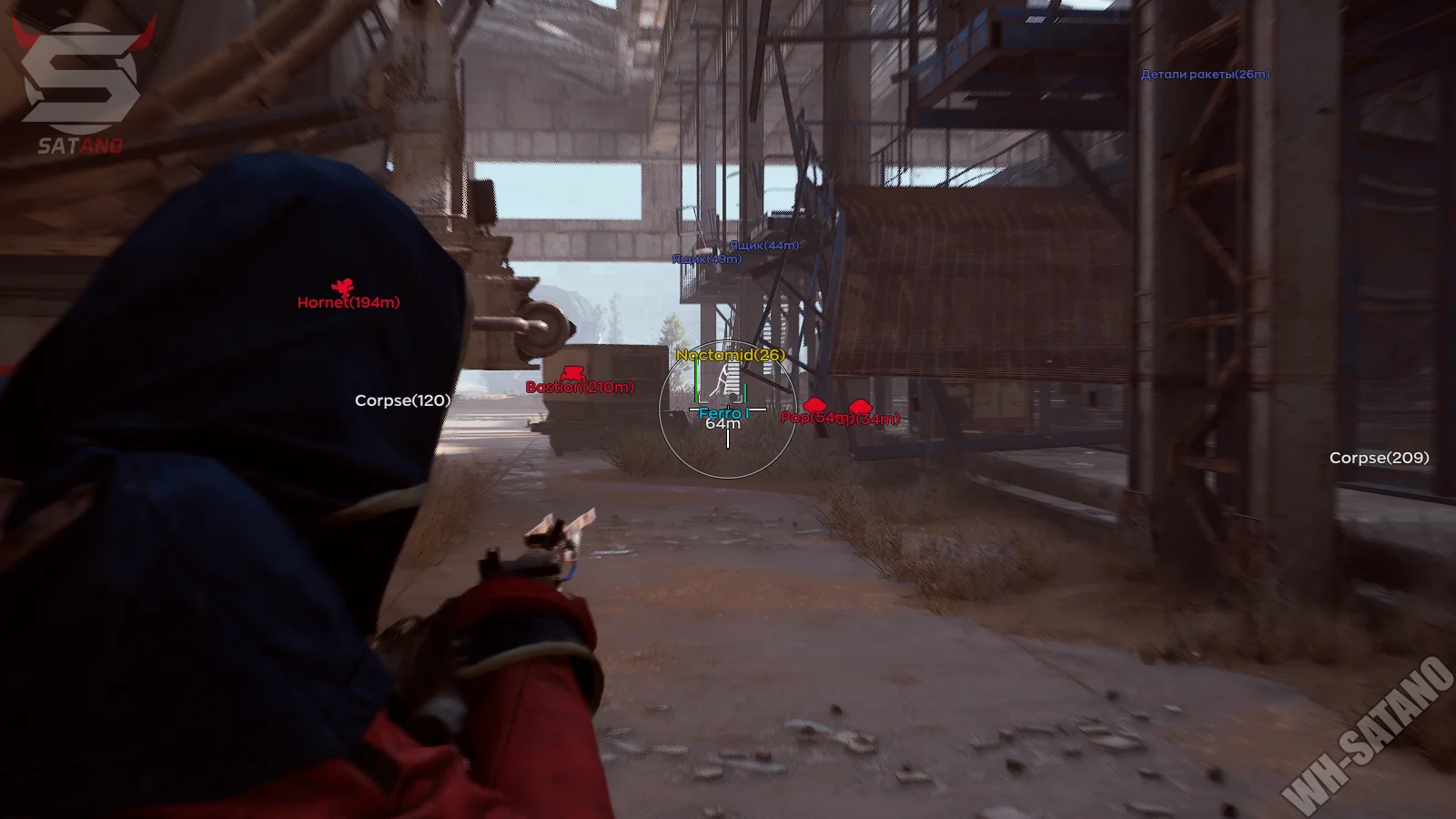
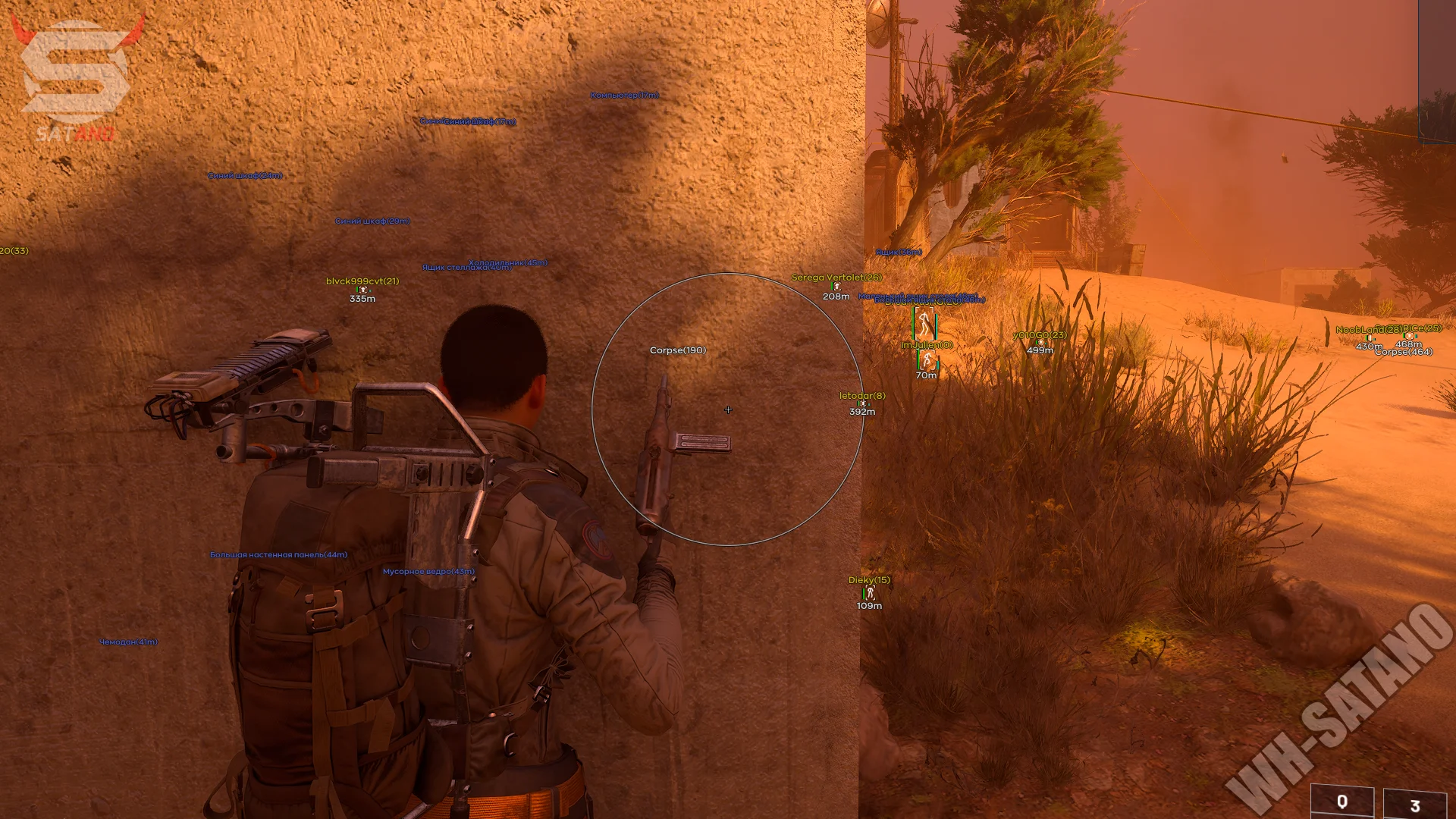
Ghost is a functional private software for ARC Raiders, known for its stable performance, good optimization, and stylish branded menu. The interface is designed in a modern minimalist style and allows you to quickly adjust all parameters to your playstyle. The software includes a flexible aimbot with FOV, smoothness, and distance settings. Target priority selection, visibility checks, and aiming at the nearest body part of an enemy are supported. For convenience, there is a parameter preview window and a custom crosshair. ESP provides detailed information about enemies: boxes, skeletons, health, armor, weapons, distance, and team affiliation. A separate ESP for drones is implemented, allowing you to see various types of mechanical enemies in advance. There is also Loot ESP with filtering for containers and items by value. The functionality is complemented by a radar, Rapid Fire, Battle Mode, a config system, and OBS Bypass — a protection feature that hides cheat elements while recording videos or streaming. Ghost is a convenient and stable solution for confident gameplay in ARC Raiders.
System Requirements
- Operating system: Windows 10, Windows 11 (21H2, 22H2, 23H2, 24H2, 25H2)
- Processor: Intel & AMD
- Video card: Nvidia & AMD
- Client: Steam
Aimbot (Aim Bot)
- Enable – enables or disables the aimbot
- Aim Key – sets the key for activating aim
- FOV – sets the radius of the aim capture zone
- Smooth – adjusts the smoothness of aim movement
- Max Distance – maximum distance for aimbot operation
- Priority – target priority selection
- Closest Bone – aims at the nearest enemy body part
- Visible Check – aimbot works only on visible targets
- Crosshair – custom crosshair in the center of the screen
- Aim Preview – preview window for aimbot settings
- Smart Bones – allows selecting multiple bones for aiming
- Jitter – simulates hand shaking when aiming
- Deadzone – dead zone in degrees (if the crosshair is close, adjustment stops)
- Reaction Time – delay between switching targets
- Max Speed – maximum aim speed in degrees
- Humanization – adds human-like movement when aiming
- Knocked Players – option to aim at knocked players
ESP (WH)
- Enable – enables or disables player ESP
- Box – displays a box around the player
- Name – shows the player’s name
- Health – displays the health bar
- Armor – shows the armor level
- Weapon – displays the current weapon of the player (text, icon)
- Team – shows the player’s team affiliation
- Skeleton – displays the player model skeleton
- Snapline – draws a line from the player to the target
- Distance – shows the distance to the player
- Max Distance – maximum ESP display distance
- Box Type – box style selection (Default / Corner / Filled)
- Visible Check – ESP shows only visible players
- Font Size – changes ESP text size
- Off-Screen Arrows – show direction to enemies outside the screen in the form of arrows
- Team ID – show the player's affiliation with a squad (team)
- ESP Preview – preview window of the selected settings in ESP
Objects ESP
- Enable – enables or disables objects display on the map
- Distance – shows distance to the drone
- Font Size – adjusts drone info text size
- Max Distance – maximum drone display distance
- Wasp
- Hornet
- Rocketeer
- Pop
- Fireball
- Tick
- Turret
- Sentinel
- Snitch
- Bastion
- Spotter
- Leaper
- Surveyor
- Queen
- Bombardier
- Shredder
- Matriarch
- Vaporizer
- Turbine
- Mine
- Extraction Exit
- Supply
- Fuel Cell
- Puzzle
- Field Crate
- Barricade
- Grenade
Loot ESP
- Enable – enables item/container display on the map
- Price – item price filter, shows only loot above selected value
- Container Type – allows selecting container categories
- Distance – shows distance to the item
- Font Size – adjusts item info text size
- Max Distance – maximum loot display distance
- Items List – full list of items with filters
- Weapon Icons – enables weapon icon display
- By Search – item search by name inside cheat menu
- Lockers
- Crates
- Furniture
- Trash containers
- Plants and fruits
- Vehicles
- Weapon crates
- Shelves
- Cabinets
- Electronics
- Servers and machines
- Wall panels
- Bags and suitcases
- Special (other)
- Bodies of dead raiders
Other Ghost ARC Features
- ESP Drag & Drop – allows dragging ESP elements to and from the preview window
- Radar – displays radar with players and objects
- Range – radar operating radius
- Player Radius – player display radius on radar
- Menu Key – key to open the menu
- Battle Mode – hides some visual elements during active combat
- OBS Bypass – hides the cheat overlay from OBS recording/streaming
- DPI Scale – interface scale of the menu
- Save Config – saves current settings
- Load Config – loads previously saved configuration
Similar Products
Fecurity ARC Raiders
- Powerful Software for ARC Raiders
- Accuracy and flexible Aimbot + Informative Wallhack (ESP)
- Convenient customization and pleasant menu, low ban risk
Arcane ARC Raiders
- Vector Aim with flexible settings for legit gameplay
- Wide ESP (WH): players, bots, loot, drones, containers, and much more
- StreamProof: stealth when recording content
Dullwave Arc Raiders
- Humanaizer-Aim: undetectable legit aimbot for Arc Raiders
- Flexible ESP: full control over the display of players, arcs, and loot
- Battle Mode: disable unnecessary information and have a clear screen during firefights
Ancient ARC Raiders
- Mouse and Memory aimbot with flexible legit-style configuration
- Detailed ESP: players, drones, loot, containers and much more
- Radar, config system and customizable ESP colors